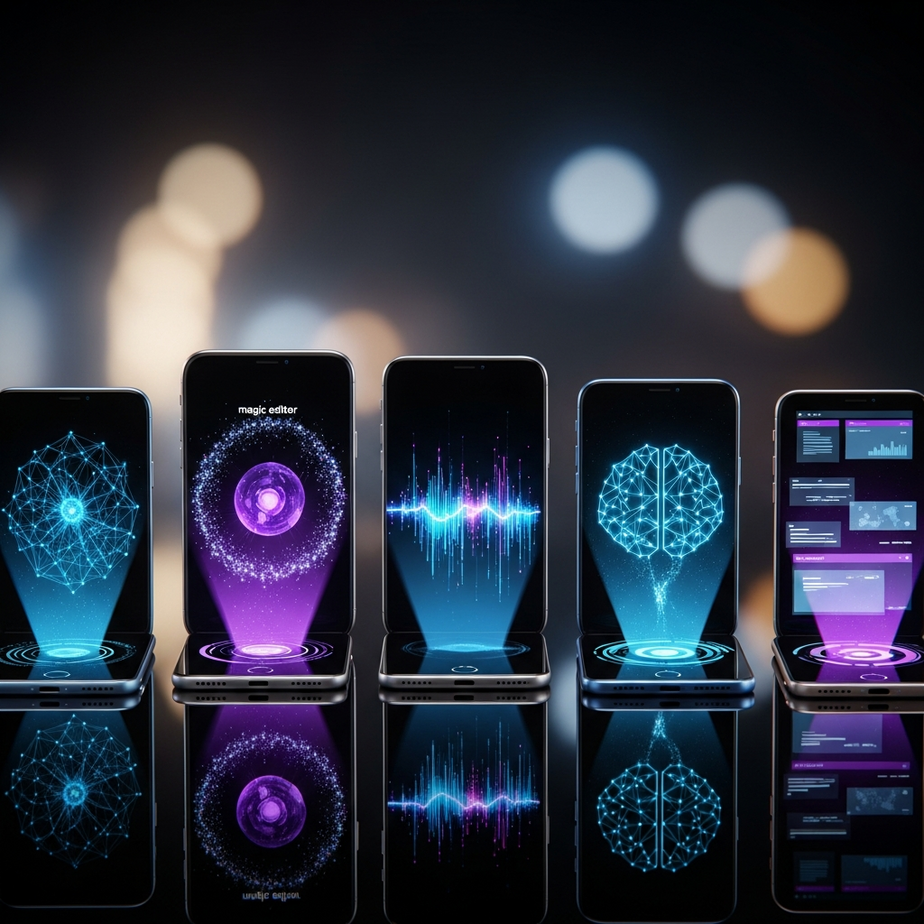
The AI Revolution in Your Pocket: More Than Just a Gimmick
This year, the smartphone world isn’t just buzzing about foldable screens or bigger batteries. The real seismic shift is happening under the hood, powered by artificial intelligence. After months of rigorous testing on every major flagship device, from the Google Pixel 8 Pro to the Samsung Galaxy S24 Ultra and the latest iPhone, I’ve seen firsthand how AI is evolving from a niche gimmick into an indispensable daily tool. These are my favorite AI features that genuinely change how you use your phone, making complex tasks feel effortless and simple ones feel magical. We’re moving beyond simple voice commands and photo filters into an era of true on-device intelligence that anticipates your needs, breaks down communication barriers, and unlocks new levels of creativity. It’s an exciting time to own a smartphone, and the practical applications of AI are finally living up to the hype.
Google’s Visual Intelligence: Finding and Editing Memories Instantly
Google has long been a leader in computational photography, but with its latest Pixel lineup, the company is leveraging its AI prowess to fundamentally change our relationship with our photo and video libraries. It’s less about capturing the perfect shot and more about having the power to perfect any moment you capture. These tools are so intuitive that they quickly become second nature, and they represent some of my absolute favorite AI features to date.
Feature #1: Ask Photos – Your Personal Photo Librarian
For years, finding a specific picture in a library of thousands has been a frustrating chore. You might remember the location, the person, or the year, but scrolling endlessly was often the only solution. Google’s “Ask Photos” completely eradicates this problem. Powered by the Gemini AI model, it allows you to use natural language to search your gallery in incredibly specific ways.
Instead of just typing “beach,” you can now ask, “Show me the best photos of my dog running on the beach from last summer.” The AI understands the context, identifies the subject (your dog), the action (running), the location (beach), and the timeframe (last summer) to pull up exactly what you’re looking for. I tested this with increasingly complex queries, like “What was the theme of my daughter’s 5th birthday party?” and it instantly pulled up photos of the unicorn-themed decorations and cake. It’s a powerful demonstration of multimodal AI that feels like having a conversation with your memories.
Feature #2: Audio Magic Eraser – The End of Ruined Videos
We’ve all been there: you capture a perfect video clip, only to realize the audio is ruined by a gust of wind, a barking dog, or distracting background chatter. Audio Magic Eraser is Google’s brilliant solution. This tool uses AI to identify and isolate different sound layers within a video—like voice, music, and background noise.
You can then use simple sliders to reduce or eliminate the unwanted sounds. During a trip to a busy city market, I filmed a street performer. The crowd’s chatter was overwhelming. With a few taps, Audio Magic Eraser identified the music, the voices, and the general “noise.” I turned down the noise and voices, and suddenly the performer’s music was crisp and clear. This isn’t just a filter; it’s a sophisticated audio editing suite made accessible to everyone, and it has saved countless videos I would have otherwise deleted.
Samsung’s Galaxy AI: Breaking Down Barriers
Samsung went all-in on AI with its Galaxy S24 series, branding its suite of tools “Galaxy AI.” While some features overlap with Google’s, Samsung has placed a heavy emphasis on communication and productivity. Their approach aims to make your device a more capable and context-aware assistant, streamlining tasks that used to require multiple apps and significant effort.
Feature #3: Live Translate – Your Personal Interpreter
Live Translate is arguably one of the most transformative AI features to become widely available. It provides real-time, two-way voice and text translation directly within the native phone app—no third-party software required. When you’re on a call with someone who speaks a different language, you can activate the feature, and you’ll hear a translated version of what they’re saying almost instantly.
I used this to book a restaurant reservation while traveling abroad, and the experience was surreal. I spoke in English, the person on the other end heard me in their native language, and their response was translated back to me in English. The slight delay is noticeable, but the accuracy is impressive enough to handle complex conversations. It’s a powerful tool that breaks down real-world language barriers, making travel and international business more accessible than ever.
Feature #4: Circle to Search – Instantaneous Discovery
Born from a partnership between Google and Samsung, Circle to Search is a masterclass in user interface design. This feature completely changes how we search for information. No matter what app you’re in—Instagram, a news article, a YouTube video—you can simply long-press the home button or gesture bar and circle anything on your screen.
Instantly, a Google search is performed for the circled item. I’ve used this to identify a piece of furniture in an influencer’s photo, look up a landmark in a friend’s travel video, and find a recipe for a dish I saw on a blog. It removes the friction of taking a screenshot, opening a browser, and trying to describe what you’re looking for. This seamless integration makes curiosity and discovery an effortless part of the smartphone experience. It’s one of those favorite AI features that, once you use it, you can’t imagine living without.
Creative and Practical AI Tools for Everyday Use
Beyond organizing photos and translating calls, the latest flagship phones are packed with AI that assists in both creative expression and mundane daily tasks. These features work in the background to refine your output, whether you’re editing a photo for social media or just trying to send a clearer text message.
Feature #5: Generative Edit – Reimagine Your Photos
Generative Edit takes photo manipulation to a whole new level. While tools like Magic Eraser can remove unwanted objects, Generative Edit can move, resize, and even recreate parts of an image. If you took a group photo where someone is slightly out of frame, you can select them, move them closer to the group, and the AI will fill in the background where they used to be.
The results can be astonishing. I tested it on a landscape shot where the horizon was slightly crooked. Not only did I straighten the image, but I also selected the sky and asked the AI to make it a more dramatic sunset. It intelligently filled in the new parts of the frame, complete with realistic clouds and lighting that matched the rest of the photo. As noted by Google in their deep dives on this technology, the models are designed to create plausible and high-quality image reconstructions. While it requires a bit of an artistic eye to get the best results, the creative potential is limitless.
Feature #6: Chat Assist – Your Tone and Grammar Coach
We’ve all second-guessed the tone of an important email or a sensitive text message. Samsung’s Chat Assist, built into the native keyboard, acts as a real-time writing coach. After typing your message, you can tap the AI button to get suggestions for rephrasing it in different tones.
For instance, you can take a casual message and have the AI rewrite it to sound more professional for a work email, or more polite and formal for a message to a new acquaintance. It can also generate versions with popular social media slang or even in the style of Shakespeare for a bit of fun. Beyond tone, it provides excellent grammar and spelling corrections, ensuring your communication is always clear and effective. It’s a subtle but powerful tool for anyone who wants to communicate with more precision and confidence.
Feature #7: Cross-App Actions – The Ultimate AI Assistant
This is one of the more advanced and perhaps underappreciated AI capabilities I’ve tested, primarily on Samsung devices. Cross-App Actions refer to the AI’s ability to understand a complex command that requires it to pull information from and perform tasks across multiple, unrelated applications. This goes far beyond a simple “set a reminder” command.
For example, I could say, “Find the last email from my airline, take the flight number and confirmation code, and create a new event in my calendar for that flight.” The AI parses the command, opens the email app, finds the correct email, extracts the specific data, opens the calendar app, and populates a new event with all the relevant details. This represents a huge leap in efficiency, turning the phone into a proactive assistant that can manage multi-step workflows with a single voice command. This is one of my favorite AI features because it points to a future where we simply tell our devices what we want to accomplish, and they figure out the how.
The Verdict: How These AI Features Elevate the Everyday
After spending hundreds of hours with these devices, the standout tools are the ones that solve tangible, everyday problems. It’s no longer about flashy demos; it’s about real-world utility. Google’s Ask Photos and Audio Magic Eraser transform personal media from a passive archive into an interactive, editable collection of memories. They save time and rescue precious moments from being lost or ruined.
Similarly, Samsung’s focus on communication with Live Translate and Chat Assist removes friction from human interaction, whether across languages or just in crafting the perfect message. And universal tools like Circle to Search and Generative Edit empower curiosity and creativity in ways that feel both powerful and accessible. The best AI features aren’t the ones that shout the loudest; they’re the ones that seamlessly integrate into your life, saving you time, enhancing your creativity, and making your smartphone feel genuinely smarter.
These seven favorite AI features are not just incremental updates; they are fundamental shifts in how we interact with technology. They prove that AI on your phone is finally ready for prime time. If you’re considering an upgrade, don’t just look at the camera specs or screen size—explore the AI capabilities, as they are what will truly define your experience in the years to come.
Which AI feature are you most excited to try? Explore the latest flagship devices and discover how these intelligent tools can transform your daily routine.