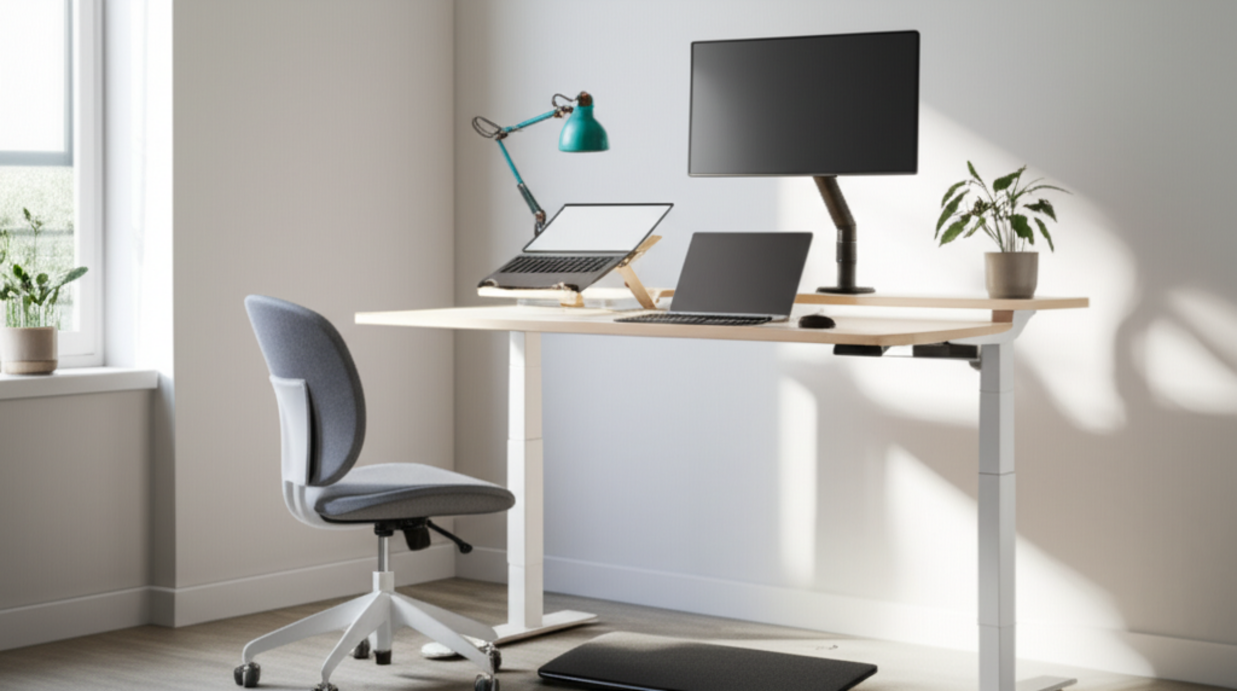
Upgrade Your Workspace: 12 Ergonomic Essentials
When you’re tethered to a desk for hours, the quality of your gear can make the difference between a productive day and a painful one. The modern remote‑worker’s dream is a strain‑free workstation that keeps you comfortable, focused, and injury‑free. Below, we’ve hand‑picked 12 ergonomic upgrades that cover everything from desk and chair to laptop accessories and lighting. Each item is designed to eliminate common aches—neck, shoulders, wrists, and lower back—while boosting your overall work efficiency.
1. Sit‑Stand Desk – The Dual‑Mode Advantage
Invest in an electric sit‑stand desk that lets you effortlessly switch between sitting and standing. Look for models with a sturdy frame, a weight capacity of at least 250 lb, and a smooth 60 mm lift range. The ability to change posture every 30–45 minutes is proven to reduce fatigue and improve circulation, making a sit‑stand desk the cornerstone of any ergonomic setup.
2. Ergonomic Office Chair – Support for Your Spine
A chair with lumbar support, adjustable seat height, and 360° swivel is non‑negotiable. Choose a model with a breathable mesh back and padded armrests that don’t force your elbows into an awkward angle. The seat should recline smoothly, allowing you to relieve spinal pressure without compromising your desk posture.
3. Laptop Stand with Cooling Fan – Keep Your Device Fresh
Elevate your laptop with a height‑adjustable stand that also includes a built‑in cooling fan. By raising the screen to eye level, you eliminate neck strain, while the fan prevents overheating that can slow performance. Look for a stand with a solid aluminum base and an adjustable angle range of 0–90°.
4. Adjustable Monitor Arm – Eyes on the Horizon
Mount your monitor on a flexible arm that lets you fine‑tune height, tilt, and swivel. This not only reduces eye strain by keeping the screen at the perfect distance but also frees up desk space for other tools. A 12‑inch or larger arm with a 10 lb load capacity should accommodate most home‑office monitors.
5. Mechanical Keyboard with Wrist Rest – Type in Comfort
Opt for a keyboard that uses mechanical switches for tactile feedback and a detachable wrist rest that blends into the desk. A split or tented keyboard reduces wrist deviation, while a low‑profile keycap set keeps typing smooth and quiet—ideal for shared living spaces.
6. Ergonomic Mouse or Trackball – Reduce Wrist Stress
Choose a vertical mouse or a trackball that allows you to keep your forearm in a neutral position. Features like adjustable DPI, programmable buttons, and a cushioned grip further enhance precision and comfort. Pairing a trackball with a keyboard that supports a forward tilt can dramatically cut repetitive‑strain injuries.
7. Footrest – Balance Your Posture
Even a well‑designed chair can leave your legs flat. A footrest that raises your feet to a 30° angle supports proper circulation and reduces lower‑back strain. Look for an adjustable height design so you can customize the angle to your preference.
8. Anti‑Glare Monitor – Eyes, Please!
Glare from windows or overhead lights forces your eyes to strain. An anti‑glare screen protector or a monitor with a matte finish eliminates reflections. Coupled with proper task lighting, you’ll notice a significant drop in eye fatigue.
9. Adjustable Desk Lamp – Light Up Your Focus
A lamp with dimmable LED lighting and an adjustable arm ensures you can direct light exactly where you need it, without creating harsh shadows. Choose a color temperature that mimics natural daylight (around 5000 K) for optimal alertness during long work sessions.
10. Cable Management System – Tidy & Safe
Cluttered cables not only look unprofessional but can also lead to accidental pulls that might affect your ergonomic gear. Use a cable tray or a magnetic organizer to keep cords neatly out of reach, preventing accidental tripping or tug‑induced stress on your desk.
11. Noise‑Cancelling Headphones – Focus in Isolation
Background noise can distract you and cause you to tense up. Noise‑cancelling headphones or earbuds with a comfortable over‑ear design help you stay concentrated and keep your shoulders relaxed. Look for models with a long battery life if you’re using them for extended periods.
12. Smart Assistant – Productivity on Autopilot
Integrate a voice‑activated assistant or a simple smart speaker to set timers, remind you to take breaks, or control your lighting and thermostat. Automating routine tasks reduces the mental load and helps maintain a steady workflow, keeping your body from compensating with unnecessary tension.
By combining these 12 ergonomic upgrades, you create a workspace that feels more like a second home than a command center of stress. The result? Less strain, higher productivity, and a healthier, happier you. Whether you’re a freelancer, a remote team member, or a digital nomad, these essentials will transform your home office into a haven of comfort and efficiency.