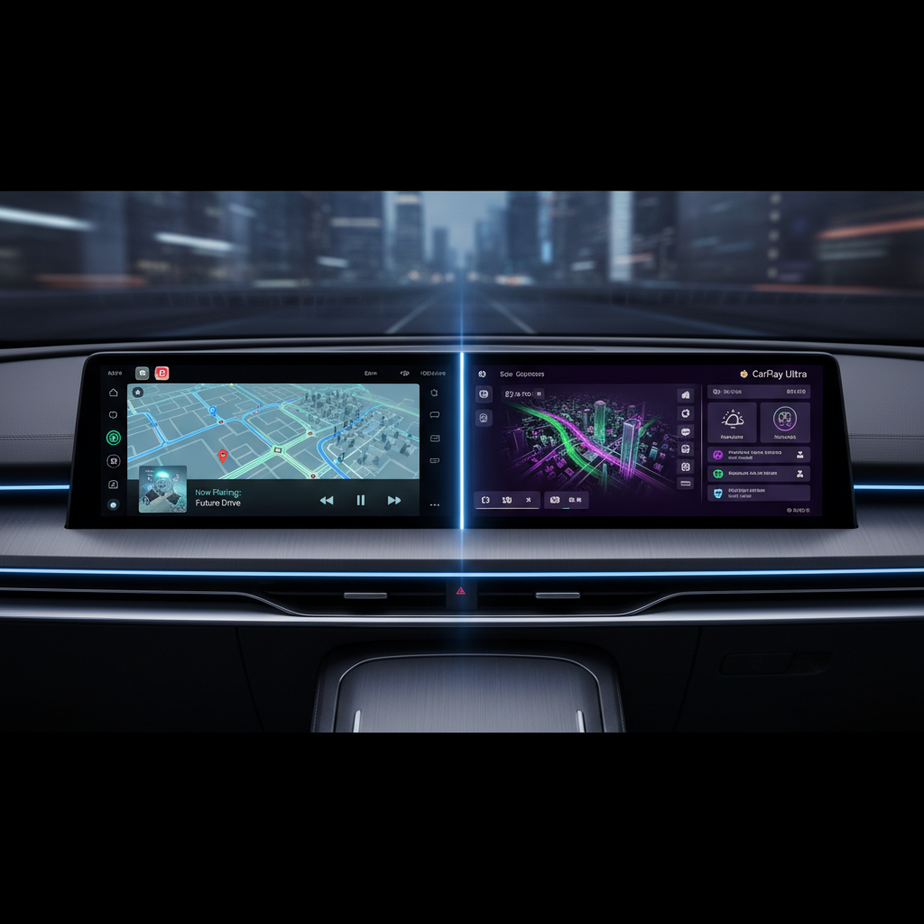
Understanding the Evolution: CarPlay vs. CarPlay Ultra
Apple CarPlay lets drivers bring familiar iPhone apps into the car dashboard. It overlays a simplified iPhone on the vehicle’s infotainment screen, which keeps the experience consistent across many models.
Apple CarPlay Ultra builds on this idea by integrating more deeply with the car’s hardware and software. It can use multiple displays and may influence core vehicle functions, creating a more cohesive digital environment.
The Core Philosophy Behind Each Iteration
Standard CarPlay serves as an overlay that projects iPhone functionality onto a single central screen. Consequently, this approach works across many vehicles without major changes to the car’s native systems.
CarPlay Ultra is designed to be an embedded system. It works directly with a car’s internal controls and multiple displays, shifting Apple from a peripheral accessory to a core part of the driving experience.
Five Key Differences Most Users Don’t Realize About CarPlay Ultra
Both versions enhance driving, yet CarPlay Ultra introduces several fundamental changes that affect how you interact with your vehicle.
1. Multi‑Screen Integration and Display Customization
CarPlay Ultra spreads its interface across the central infotainment screen, instrument cluster, passenger displays, and even a head‑up display. As a result, navigation, media, and vehicle data appear on the most relevant screen.
Display Integration Beyond the Primary Screen
By extending the interface to all displays, CarPlay Ultra presents information that normally lives in separate menus—navigation details, media status, vehicle metrics—directly where the driver can see them. Thus, it reduces the need to look away from the road.
2. Deeper Vehicle System Integration and Control
Standard CarPlay limits users to media, calls, and navigation, leaving other vehicle functions to the car’s native system. CarPlay Ultra, however, offers direct access to features such as climate control, seat heating, ambient lighting, and driver‑assistant settings.
Direct Access to Car Functions
With deeper integration, controls that once lived in separate menus now appear in the Apple interface. This could include climate adjustments or vehicle diagnostics, creating a single interaction point for entertainment and car systems.
3. Enhanced Customization and Personalization Options
Standard CarPlay offers limited personalization—rearranging icons and choosing a wallpaper. CarPlay Ultra expands this by offering extensive visual themes, dynamic layouts that adapt to driving conditions, and user profiles that remember preferences across vehicles.
Crafting Your Unique Driving Cockpit
Users can select themes that change fonts, colors, and overall style. Widgets on the instrument cluster let drivers choose which data is most prominent, such as a large map or detailed diagnostics. Moreover, multiple driver profiles load automatically when a new driver enters the car.
4. Performance and Reliability Requirements
Because CarPlay Ultra takes over several screens and integrates tightly with the car, it demands a more powerful infotainment system. It requires stronger processors and dedicated graphics to handle the increased workload.
The Impact of Tighter Hardware Integration
When a car’s hardware is built around CarPlay Ultra, the experience tends to be smoother and more reliable. Apple’s control over the hardware and software stack can reduce glitches and improve consistency across models.
5. User Interface and Experience Overhaul
Standard CarPlay presents a familiar grid of app icons, but it is somewhat static. CarPlay Ultra introduces a context‑aware interface that adapts to driving conditions, making it more interactive and intuitive.
Adaptive and Context‑Aware Design
For example, when approaching a complex intersection, the instrument cluster could enlarge the navigation view while still showing essential vehicle data on another screen. On a highway, the interface might prioritize traffic updates and scenic maps. Consequently, this design reduces the driver’s cognitive load.
The Future of In‑Car Technology with CarPlay Ultra
CarPlay Ultra’s deeper integration positions it as a comprehensive operating system for the vehicle’s interior. Automakers that adopt it will rely more heavily on Apple’s user‑experience expertise, thereby streamlining their own infotainment development.
Implications for Automakers and Drivers
For automakers, CarPlay Ultra means a closer partnership with Apple and possibly a shift in how they design the car’s digital interface. For drivers, it offers a more cohesive, personalized experience that reduces the need to switch between different systems.
Preparing for the Next Generation
When evaluating a vehicle that advertises CarPlay Ultra, consider the following points:
- Confirm the model supports multi‑screen and deep integration features, not just standard CarPlay.
- Test the infotainment system’s fluidity across all displays, including its interaction with climate and vehicle controls.
- Explore customization options—themes, layouts, and data presentation.
- If you use Apple’s ecosystem extensively, CarPlay Ultra may offer a more consistent experience.
- Stay updated on software releases, as future updates could add new features and refinements.
FAQ
What is the main difference between CarPlay and CarPlay Ultra?
CarPlay projects onto a single central screen. In contrast, CarPlay Ultra integrates with multiple displays—including the instrument cluster—and can influence core vehicle functions.
Will CarPlay Ultra replace my car’s native infotainment system entirely?
In vehicles that support CarPlay Ultra, many functions may be handled through Apple’s interface, which reduces the need to switch back to the car’s native system for common controls.
Do all new cars come with CarPlay Ultra?
Only select models from partner automakers will feature CarPlay Ultra initially, focusing on vehicles that meet the necessary hardware requirements.
Can I upgrade my existing car’s CarPlay to CarPlay Ultra?
No. CarPlay Ultra requires specific hardware and software integration that cannot be added to cars that currently support only standard CarPlay.